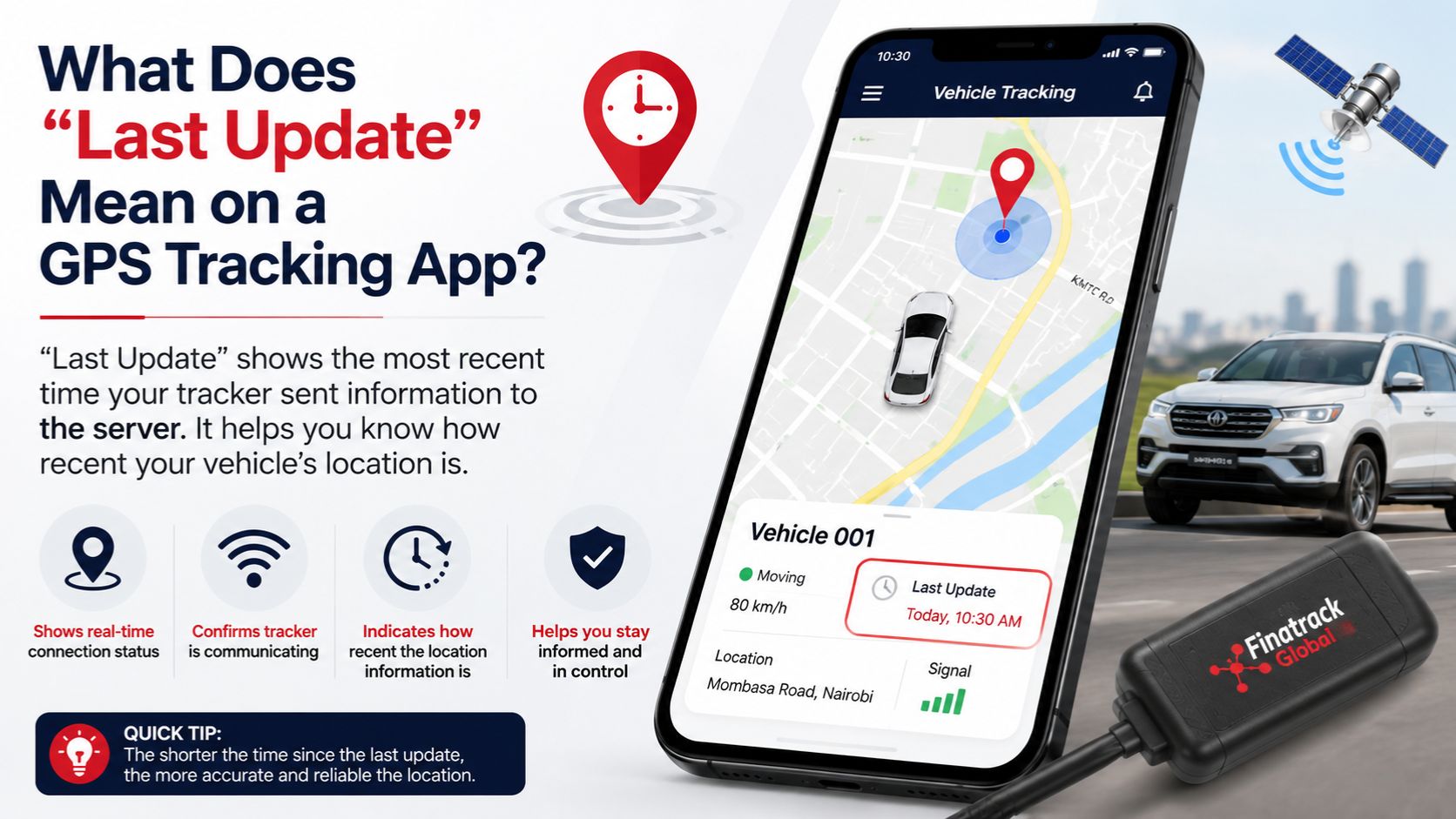
You open your vehicle tracking application and see the car exactly where you expect it to be. Under the vehicle name, however, the system shows something such as “Last Update: 8:42 a.m.” even though the current time is already 9:15 a.m. For many vehicle owners, that immediately creates uncertainty about whether the tracker is working or whether the location on the screen can still be trusted.
The last update generally refers to the most recent time the tracking platform successfully received information from the GPS tracking device. It is therefore one of the most important pieces of information on a vehicle-tracking application because it helps the user understand how current the displayed location and vehicle status actually are.
A vehicle icon on the map should never be interpreted without looking at its timestamp. The map may show your car parked outside your office, but if the last update was several hours ago, the application may simply be displaying the last position the tracker successfully transmitted. The vehicle could have moved since then without the platform receiving a newer record.
This distinction is particularly important during vehicle theft or other security incidents. Seeing a vehicle icon at one location does not necessarily mean the car is still there. The first question should always be: When did the tracker last communicate?
A GPS tracker normally performs two separate functions. It determines the vehicle’s position using satellite signals and then uses a mobile network to send that information to the tracking server. The tracking application shows the information that has successfully reached that server.
If both systems are working normally, the last update time should continue moving forward as the tracker sends new records. Depending on how the device has been configured, updates may occur every few seconds, every few minutes or according to different conditions when the vehicle is moving and parked.
A tracker does not necessarily transmit every second simply because it is functioning correctly. Reporting frequency is usually configured according to the purpose of the installation, data usage, power management and fleet-management requirements. A vehicle that is moving may report more frequently than one that has remained parked for several hours.
This means a small difference between the current time and the last update time is not automatically a problem. If your tracker last communicated one or two minutes ago, the device may simply be operating according to its normal reporting interval.
The concern becomes greater when the difference is much longer than expected.
Suppose your vehicle is travelling along Mombasa Road but the application shows a last update from forty minutes earlier. If you know the car has been moving throughout that period, the tracker is clearly not delivering fresh information to the platform in the way you would normally expect.
That does not necessarily mean the GPS tracker itself has failed.
One possible reason is weak mobile network coverage. The tracker may still be determining its position but temporarily lack the cellular connection required to send those coordinates to the server. During that period, the application may continue displaying the last successfully transmitted location.
This is particularly common when vehicles travel through rural areas, underground parking facilities, remote project locations or other places where network conditions may be weaker. Once the tracker regains communication, it may begin sending fresh records again.
Professional tracking devices may also store information while communication is unavailable and upload it later after reconnecting. If the device supports this feature and has been configured appropriately, the missing section of the journey may later appear in the trip history even though it was not visible live.
This creates an important difference between live tracking and historical trip information.
Live tracking answers the question, “Where was the vehicle when the tracker most recently communicated?”
Historical tracking answers the question, “Where did the vehicle travel based on the records eventually received by the platform?”
The two are related but they are not always identical at every moment.
A vehicle may disappear from live tracking for thirty minutes while crossing an area with weak connectivity. When network communication returns, the platform may receive several stored records showing where the vehicle travelled during that period. The journey history can therefore become more complete after the fact.
The last update timestamp helps the fleet manager recognise when this is happening.
A second possible cause of an old update time is loss of power to the tracker. Most wired GPS trackers depend on the vehicle’s electrical system for their normal operation. If the power connection is interrupted, the device may stop communicating once any available internal backup power has been exhausted.
Battery replacement is one common example. When a mechanic disconnects the vehicle battery, the tracker temporarily loses its primary power supply. Depending on the tracker installed, it may continue operating briefly using backup power or eventually stop reporting until the new battery is connected.
Electrical repairs can create similar situations. A technician may remove dashboard panels, replace an alarm or repair wiring and accidentally disturb the tracker’s power connection. The car itself may leave the workshop functioning normally while the tracking device remains offline.
Vehicle owners should therefore check the tracking application after substantial electrical work.
Look at the last update time.
Start the vehicle.
Confirm that a fresh position appears.
Make sure ignition status changes normally where that feature has been configured.
This simple check can identify an interrupted tracker before the vehicle is urgently needed for security purposes.
A third possibility involves the SIM card or mobile communication service inside the tracker. GPS positioning and cellular communication are different functions. The device may be capable of obtaining a satellite position but still fail to deliver that information if the SIM cannot connect to the required network.
A tracking provider can normally investigate this from the technical side. The provider may be able to determine when the device last communicated and whether the problem appears to involve connectivity, power or another technical issue.
The owner should therefore avoid immediately dismantling the dashboard when the last update becomes old.
Start with the information visible on the platform.
Check where the vehicle was last seen.
Check when it communicated.
Check whether ignition or other information changed before communication stopped.
Consider where the vehicle is physically located.
Then decide whether the situation looks like a normal network interruption or something that requires technical attention.
The vehicle’s operating environment can provide important clues.
If the tracker always loses communication while the car is parked in the same underground basement and reconnects shortly after leaving, the pattern strongly suggests an environmental signal limitation rather than repeated tracker failure.
If the device remains offline after the vehicle has returned to a normally well-covered outdoor location, that explanation becomes less convincing.
The duration of the outage also matters.
A last update that is ten minutes old may simply represent a temporary communication interruption. A last update that is three days old while the vehicle has been used every day deserves much more urgent investigation.
For fleet managers, old update times should be treated as exceptions that require attention.
A business managing fifty vehicles may not immediately notice that one unit has stopped communicating. The remaining forty-nine vehicles continue moving normally on the screen, making the missing tracker easy to overlook.
A routine fleet-health review can prevent this.
Managers can periodically sort or review vehicles according to their last communication time and identify units with unusually old timestamps. Those trackers can then be checked while the vehicles are still available rather than during a theft, accident or unauthorised journey.
This is one reason the last update time is arguably more useful than simply looking for an “online” or “offline” label.
Different tracking platforms define online status differently. One system may mark a vehicle offline after several minutes without communication while another may wait considerably longer. The timestamp gives the user the actual information needed to make their own judgement.
If the last communication was twenty seconds ago, the information is extremely recent.
If it was yesterday afternoon, the vehicle icon should be treated as historical until a newer record arrives.
Ignition status also needs to be interpreted in relation to the last update.
Suppose the platform says Ignition ON, but the last update occurred two hours ago. That does not necessarily mean the engine is still running now. It means the most recent record received by the server indicated ignition ON at that time.
The vehicle may have switched off thirty minutes later without the tracker successfully transmitting the change.
The same applies to speed.
If a platform shows the vehicle travelling at 80 km/h while the last update is twenty minutes old, the vehicle is not necessarily travelling at that speed now. The displayed value belongs to the most recent successful tracking record.
This is why timestamps matter so much when interpreting telematics information.
Location, speed, ignition and other statuses should always be considered alongside the time at which that information was generated or received.
For private motorists, this becomes especially important when checking a parked car.
Imagine leaving your vehicle at a shopping centre and opening the tracking application two hours later. The map shows the car in the same parking area, but the last update was shortly after you arrived.
There are several possible explanations.
The tracker may be configured to report less frequently while stationary.
The vehicle may be in a parking area with poor network communication.
The tracker may have entered a power-saving state.
Or the device may genuinely be experiencing a technical problem.
The correct interpretation depends on how the specific tracking system has been configured.
This is why customers should receive proper training after installation.
The installer should explain how often the tracker normally updates, what happens when the vehicle is parked and how the application indicates a communication problem.
Without that understanding, perfectly normal tracker behaviour can cause unnecessary concern.
The opposite problem can also occur.
Some vehicle owners become so accustomed to seeing an old timestamp that they stop paying attention to it.
A tracker may have been offline for weeks without anyone noticing because the application continues displaying the last known location of the vehicle.
The owner assumes the system is working simply because a vehicle icon remains on the map.
This creates a serious security weakness.
The physical presence of a tracker inside the car is not enough. The device needs to be powered, communicating and accessible through the tracking platform.
Opening the app occasionally and checking the last update time is therefore one of the simplest maintenance habits a vehicle owner can adopt.
Trip history provides another useful check.
If the vehicle has been driven several times since the last update but no new journeys appear, there is clearly a reporting problem that needs investigation.
If the tracker later reconnects and the missing journeys begin appearing, the device was probably storing records during a communication outage.
Businesses should understand this behaviour because it affects operational decisions.
A dispatcher relying on live location needs current information.
A fleet analyst reviewing journeys at the end of the week may still be able to work with delayed records after they have uploaded.
These are different use cases.
For example, a logistics company trying to tell a customer when a truck will arrive needs fresh tracking information. A location that is two hours old may be of limited value for estimating arrival time.
The same two-hour-old record may still be useful later when reviewing the driver’s route after the tracker has uploaded the complete journey.
Last update times therefore help users understand the quality of information available for the decision they are trying to make.
GPS update frequency can also affect what the customer sees.
Tracking devices can be configured to generate and transmit records based on time, distance, movement, ignition changes and other conditions. A vehicle travelling may therefore update more frequently than one that is parked.
This is often intentional.
Sending unnecessary records every few seconds while a car sits in the same parking space can use mobile data and device resources without providing meaningful additional information.
Once the vehicle begins moving, the reporting profile may change and records may become more frequent.
Customers should therefore avoid comparing two trackers purely by how quickly the timestamp changes while the vehicles are stationary.
The better question is whether the device provides sufficiently current information for its intended purpose.
A fleet requiring close operational monitoring may need relatively frequent updates.
A private vehicle used mainly for theft protection may not require exactly the same reporting strategy.
Battery condition can sometimes indirectly affect reporting as well.
A tracker connected to a weak vehicle battery may experience unstable voltage or eventually lose external power altogether. If the car remains parked for an extended period and its battery becomes discharged, tracking communication may also be affected.
A professionally installed and configured tracker should normally have appropriate power-management settings, but the vehicle’s electrical condition still matters.
An old last update should therefore sometimes prompt a wider vehicle check.
Is the car battery healthy?
Has the vehicle been parked for several weeks?
Was electrical work performed recently?
Was the battery disconnected?
Did the tracker report any power-loss event before going offline?
These details can help narrow down the cause.
For motorcycles, the same principles apply, although power management can become even more important because motorcycle batteries are generally smaller than car batteries.
Wireless trackers operate differently again.
A battery-powered magnetic tracker may report according to movement and configured intervals rather than remaining permanently connected to vehicle power. Its last update behaviour therefore needs to be interpreted according to that device’s specific operating mode.
Tracking tags may also use completely different communication methods from conventional SIM-based GPS trackers.
This is another reason customers should understand which technology is installed rather than assuming every product called a “tracker” behaves identically.
Cross-border travel can also affect last update times.
A vehicle may leave Kenya and enter another country where the tracker needs suitable mobile roaming arrangements to communicate with the platform. GPS satellites do not stop functioning at the border, but the cellular communication service still needs to work.
If roaming is unavailable, the tracker may continue recording positions while live reporting becomes unavailable.
For companies operating trucks across East Africa, this should be discussed with the tracking provider before vehicles begin international journeys.
Knowing how the system behaves outside Kenya can prevent unnecessary panic when a vehicle reaches the border.
Security incidents require a more cautious interpretation.
If a vehicle unexpectedly stops updating immediately after unusual ignition, power-disconnection or movement events, the possibility of tampering should be considered.
Do not assume weak network coverage without looking at the wider sequence.
A tracker that normally communicates reliably at your home but suddenly reports a power interruption at 2 a.m. and then stops updating deserves more attention than one that temporarily disappears while travelling through a known rural network gap.
Context changes the meaning of the timestamp.
If theft is suspected, vehicle owners should not personally pursue or confront suspected criminals based solely on tracking information. Use the location data to support appropriate security and law-enforcement procedures.
For fleet operations, communication responsibility should also be clear.
Someone should know who investigates vehicles with stale update times.
If no one owns that responsibility, an offline tracker can remain unnoticed for weeks.
A simple weekly or even daily review depending on the fleet’s risk profile can significantly improve reliability.
Businesses can look for vehicles that have not reported recently, confirm whether they have genuinely been parked and arrange technical checks for unexpected outages.
This turns the tracking platform from something used only during emergencies into an actively managed fleet system.
Trackers themselves should also be serviced or inspected when their behaviour changes.
Repeated offline periods, unstable ignition information or unusually old updates can indicate loose wiring, power problems, SIM issues or device faults.
It is better to investigate intermittent problems early.
A tracker that works only most of the time may fail at exactly the moment the vehicle owner needs it most.
Professional installation reduces this risk from the beginning.
The device should have reliable power, secure wiring and appropriate placement. The tracking platform should also be configured correctly so that the reporting behaviour matches the customer’s expectations.
The handover should include one simple lesson that every vehicle owner should remember:
Never look at the vehicle location without also looking at the last update time.
Those two pieces of information belong together.
The map tells you where the tracker last reported the vehicle.
The timestamp tells you how recently you learned that information.
Finatrack Global Ltd provides professionally installed GPS tracking and vehicle-security solutions for private vehicles, motorcycles and commercial fleets in Kenya. Depending on the solution installed, customers can access vehicle location, trip history, ignition monitoring, geofencing and other tracking information through the monitoring platform.
Professional installation can be arranged at the customer’s convenient location or at Vision Plaza, 1st Floor, Office 2, Mombasa Road, Nairobi. For GPS tracking installation, troubleshooting and vehicle-security solutions, contact Finatrack Global Ltd on 0723 645 810 or visit www.finatrack.co.ke.